Dimmer help
Questions about your Dimmer?
Questions about your Dimmer? You can find installation videos, instructions and answers to frequently asked questions here.
Videos
Helpful videos for your device. You can find more helpful videos on our YouTube channel under the following link: @BoschSmartHome
Dimmer - Installation
Dimmer - Installation
The pairing of your Bosch Smart Home Dimmer was successful or the process was confirmed.
Pairing or communication with the Smart Home Controller has failed (e.g., because the wireless network was disrupted or there is no longer a connection to the Bosch Smart Home Controller).
The flush-mounted box behind the switch should have a depth of at least 50mm. However, we recommend using a box with at least 60mm.
Yes, the Bosch Smart Home Dimmer is functional even without a Smart Home Controller. However, flickering of the light bulbs may occur, as the dimming range is configured in the pairing wizard in the Bosch Smart Home App.
The pairing mode of your Bosch Smart Home Dimmer is active or the device is communicating with the Bosch Smart Home Controller.
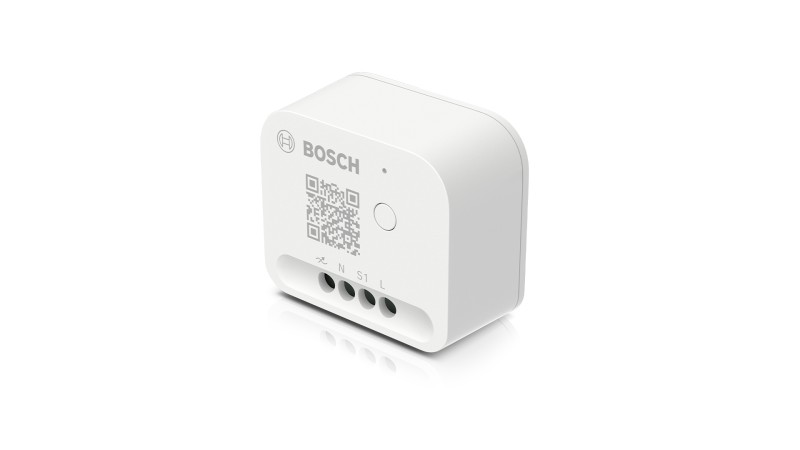
The use of an external button is optional. All required functions (e.g. reset to factory settings or start pairing mode) are also possible via the system button on the device. If you do not use a button, switching the lights on/off and dimming is only possible via the Bosch Smart Home App.
You can find the wiring diagram for your Bosch Smart Home Dimmer in the included quick start guide or available for download on our website.
No, the Bosch Smart Home Dimmer does not need to be combined with a switch or push button. If you want to combine the dimmer with a push button, this is possible. In this case, you can install the dimmer behind the existing push button. If you do not use a push button, switching the lights on/off and dimming can only be done via the Bosch Smart Home App. A switch is not suitable for use.
In the learning wizard of the Bosch Smart Home Dimmer in the Bosch Smart Home App, you can define the dimming range. This is then displayed visually in a graph. These settings can subsequently be adjusted in the device settings.
The Bosch Smart Home Dimmer cannot be installed in an existing intermediate/two-way switch circuit.
The dimmer can be operated physically with one or more push buttons or with the Bosch Smart Home App. The dimmer is incompatible with switches.
While a circuit is opened and closed with a switch (switch remains in respective position), a push button only gives a current impulse when actuated. The push button itself then returns to its initial position.
Dimmer - Operation
Dimmer - Operation
Make sure that your light bulb is dimmable. Depending on the product, it may be necessary to limit the dimming range used. To do this, follow the calibration instructions in the pairing wizard or the device settings in the Bosch Smart Home App.
The dimmer has lost connection to the Smart Home Controller. If there is no connection loss, the dimmer may be defective, in which case please contact our service.
To reset the Bosch Smart Home Dimmer to factory settings, press and hold the system button until the status LED flashes orange rapidly. Release the system button briefly and press again until the LED lights up green. The Bosch Smart Home Dimmer will now restart. Please note that it may take a few seconds until the Bosch Smart Home Dimmer is ready for operation again.
Alternatively, the following procedure is also possible: When installed with a connected push button:
Press the push button 6 times within a maximum period of 10 seconds.
If the reset was successful, the connected light bulb will flash briefly once more.
The device will then restart.
To pair the device again, you must first delete it in the Bosch Smart Home App.
Check whether your Bosch Smart Home Dimmer can still be controlled manually. If this is the case, remove the power cable from your controller and restart it. Please also check whether the range of your Smart Home controller is sufficient. If you have connection problems, you can use a Bosch Smart Home Compact Smart Plug to extend the range. If the problem persists, reset the dimmer to factory settings and pair it again.
If this does not solve the problem either, please contact either the Bosch Smart Home Community or our service team.
Yes, the Bosch Smart Home Dimmer can be selected as a device in the presence simulation. It will then turn on at the last set dimming level.
Dimmer - General
Dimmer - General
You can only control one circuit at a time. However, you can integrate multiple devices into this circuit up to the power limit specified on the rating plate.
No, the Bosch Smart Home Dimmer does not have power measurement that is displayed in the Bosch Smart Home App.
Your Bosch Smart Home Dimmer can also be used outdoors if you use it in a suitable protective housing (e.g. IP66).
The Bosch Smart Home Dimmer is available in Apple HomeKit for both the Smart Home Controller and the Smart Home Controller II.
The child lock can be activated in the Smart Home app. Operation via an optionally connected push button is then locked.
The Light/shutter control II can switch connected devices on and off on up to two circuits.
The Dimmer can only control one channel, but it can regulate the current flow to control the brightness of connected light sources.
The Bosch Smart Home Dimmer uses the ZigBee 3.0 radio protocol and also serves as a range extender for other ZigBee 3.0 devices.
With the Bosch Smart Home Dimmer, you are able to smartly control the brightness of your dimmable light sources. For example, you can create the ideal ambient lighting for your next movie night.
Yes. The Bosch Smart Home Dimmer can be used as a range extender for additional ZigBee 3.0 devices.
No, the Bosch Smart Home Dimmer does not have a time program control. However, you can use automations to turn the device on based on time.
If you press the button briefly, the light turns on at the last set brightness level. Another brief press of the button turns the light off again.
If you press and hold the button while the light is on, the brightness changes. Depending on whether you previously "dimmed up" or "dimmed down," the brightness changes up to 100% or down to 0%.
Once the respective dimming limit is reached, you must briefly release the switch and press and hold it again to dim in the other direction.
Yes. The Bosch Smart Home Dimmer can be operated with push buttons without any problems. By holding down the push button, the light source is either "dimmed up" or "dimmed down", depending on which direction you last dimmed. Release the push button when the desired brightness is reached. If the upper or lower dimming limit is reached, briefly release the push button and then hold it down again. The light source will then be dimmed in the other direction again.
Get in touch with us.
A personal and professional service is important to us. If you have any questions or need professional personal support, please do not hesitate to contact us.