Relay help
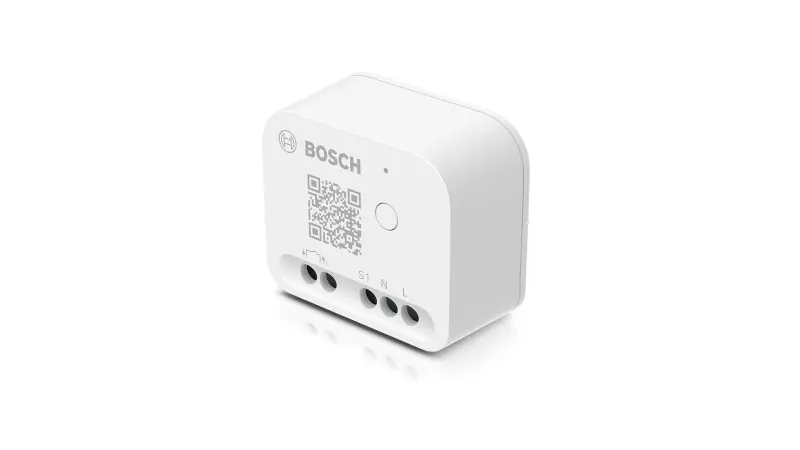
Questions about your Relay?
Questions about your Relay? You can find installation videos, instructions and answers to frequently asked questions here.
Relay - Installation
Relay - Installation
The pairing mode of your Bosch Smart Home relay is active or the Bosch Smart Home relay is communicating with the Bosch Smart Home Controller.
The pairing of your Bosch Smart Home relay was successful or the process has been confirmed.
The pairing or the process has failed.
To consult the various connection diagrams for your Bosch Smart Home Relay, please refer to the enclosed operating instructions.
No, the Bosch Smart Home Relay does not have to be combined with a switch or button. If you want to combine the relay with a button or switch, this is possible. In this case, you can install the relay behind the existing switch/button.
The pulse control is designed to activate an impulse relay with a current pulse (adjustable between 0.5, 1 or 2 seconds), such as for stairwell lighting (a push button is simulated). With on/off switching, the relay outputs the signal until the next activation (a switch is simulated).
### Bosch Smart Home Relay and Apple HomeKit
#### On/Off Mode
- **Visibility:** The Bosch Smart Home Relay is visible in Apple HomeKit in On/Off mode.
- **Function:** You can view and control the status of the relay (on or off) directly in the Apple HomeKit app.
#### Pulse Mode
- **Limitation:** In pulse mode, the relay is not visible in Apple HomeKit.
- **Reason:** The relay only sends a brief electrical pulse, and its processing by other devices cannot be monitored by the relay itself. Therefore, the status of the controlled device cannot be clearly displayed.
#### Suggested Solution
- **Door/Window Contact:** A Bosch Smart Home Door/Window Contact II can help you obtain a reliable status report in Apple HomeKit. This contact can monitor the state of doors or windows and display it in Apple HomeKit.
Use this information to optimally integrate the Bosch Smart Home Relay into your smart home system.
### Relay Mode and Configuration
The relay is factory-set to ON/OFF mode and configured for an ON/OFF switch.
#### Using a Push Button
- If you connect a push button, current only flows as long as you keep the button pressed.
#### Pairing with the HOME Controller
- When pairing with the HOME Controller, you can select the optimal configuration for you in the Pairing Wizard.
This way you can set the relay exactly according to your needs.
During pairing, values of 0.5, 1, and 2 seconds can be set. Under the device settings (More --> Devices --> corresponding relay), you can additionally set the values 3, 4, 5,...20 seconds after pairing.
We will soon provide an accessory that enables you to install the Relay in the existing flush-mounted box in a space-saving manner.
The accessory can also be combined with rockers and frames from a large number of switch series from well-known brand manufacturers.
Relay - Operation
Relay - Operation
To reset the Bosch Smart Home Relay to factory settings, press and hold the system button until the status LED flashes orange rapidly. Release the system button briefly and press again until the LED lights up green. The Bosch Smart Home Relay will now restart. Please note that it may take a few seconds until the Bosch Smart Home Relay is ready for operation again.
Alternatively, the following procedure is also possible: When installed with connected button:
Press the button 6 times within a maximum period of 10 seconds.
If the reset was successful, the connected light will flash briefly once more.
The device will then restart.
To pair the device again, you must first delete it in the Smart Home APP.
The relay has lost connection to the Smart Home Controller. If there is no connection loss, the relay may be defective. In this case, please contact our service.
Potential-free means that the Bosch Smart Home Relay opens and closes a contact in the connected circuit. The Relay functions like a conventional ON/OFF switch that simply interrupts the circuit or briefly closes it (push button). The Relay becomes "smart" by being controlled via the Bosch Smart Home APP and integrated into scenarios and automations.
The device itself requires a power supply of 230V/50Hz for operation, but AC circuits with lower voltages and DC circuits can also be connected to the potential-free output (up to 24 volts at max. 8 amperes)
The use of an external switch is optional. All required functions (e.g. reset to factory settings or start pairing mode) are also possible via the system button on the device.
This function has not yet been implemented at the system level. We are currently working on implementing this function and it will be made available with the next update.
Relay - General
Relay - General
With the potential-free relay, you can switch almost any electrical circuit or generate a current pulse for control devices. This allows you to switch almost any electrical circuit or generate a current pulse for control devices with the potential-free relay. This makes it possible, for example, to also control garden irrigation or the garage door button smartly.
Your Bosch Smart Home relay can also be used outdoors if you use it in a suitable protective housing (e.g. IP66).
You can only control one circuit at a time. However, you can integrate multiple devices into this circuit up to the power limit specified on the type plate.
Since the Bosch Smart Home Relay is a potential-free contact, measuring energy consumption is not possible.
The Bosch Smart Home Relay uses the ZigBee 3.0 radio protocol and also serves as a range extender for additional ZigBee 3.0 devices.
The Light/shutter control II supplies connected devices with 230V/50Hz up to a power of 500W per channel. The relay, on the other hand, only interrupts the existing circuit of a device that is supplied with mains power or another voltage source.
No, the smart relay has a potential-free switching contact. This means the power supply of the relay is separated from the working circuit. The switching contact only interrupts the power line, but cannot measure the voltage or current of the working circuit.
### Controlling Your Gas Floor Heating System with the Bosch Smart Home System
With the Bosch Smart Home Relay, you can intelligently control your gas floor heating system and transmit the heat demand from various rooms to your heat generator (boiler). Here you will learn how this works and which requirements must be met
#### Requirements
In order for your gas floor heating system to be controlled with the Bosch Smart Home Relay, you need the following:
Heat generator with suitable input: Your boiler must have a potential-free input that enables external control through the relay.
Bosch Smart Home devices:
A configured Bosch Smart Home Controller.
The Bosch Smart Home App for control and setup.
The rooms you want to control must be equipped with Bosch Smart Home Radiator Thermostats II or Room Thermostats II (230V). These devices must be set up in the Bosch Smart Home App beforehand.
#### Step-by-Step Instructions
Connect Bosch Smart Home Relay:
Have the Bosch Smart Home Relay connected to your boiler by a qualified electrician. This is important to ensure safe and correct installation.
Set purpose:
Open the Bosch Smart Home App and select the purpose "Central heating" in the device management for the relay. This configures the Bosch Smart Home Relay for controlling your boiler.
Select rooms
In the Smart Home App, select the rooms to be connected to the central heating under "Services" -> "Climate Manager" -> "Central Heating Control". These rooms must already be created in the Smart Home App and equipped with the corresponding Bosch Smart Home Radiator and Room Thermostats II (230V).
Activate room temperature control
The Bosch Smart Home Radiator Thermostats II or Room Thermostats II (230V) in the selected rooms transmit the heating demand to the Bosch Smart Home Relay.
Control boiler
As soon as a heating demand is reported, the relay switches on the boiler. This efficiently achieves the desired room temperature.
#### Important Notes
Installation by qualified professional: The Bosch Smart Home Relay must be installed by a qualified electrician to ensure safety and functionality.
Correct configuration: Make sure that all devices are correctly connected and set up in the Bosch Smart Home App to enable optimal control.
With this solution, you can control your gas floor heating system comfortably and efficiently while saving energy and increasing living comfort.
Get in touch with us.
A personal and professional service is important to us. If you have any questions or need professional personal support, please do not hesitate to contact us.